

Welcome to our Support Portal. Search for answers using the search box below,
or create a support ticket if you cannot find your answer.
Tip: Start typing in the input box for immediate search results.
Log in to Microsoft 365
Download Office to your Computer
- Login to your Microsoft 365 account with the link above, or
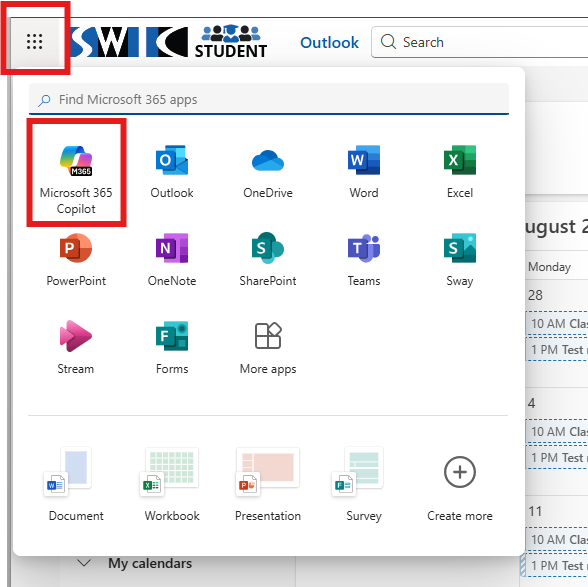
- If you’re already logged into your email, click the App Launcher and select Microsoft 365 Copilot:
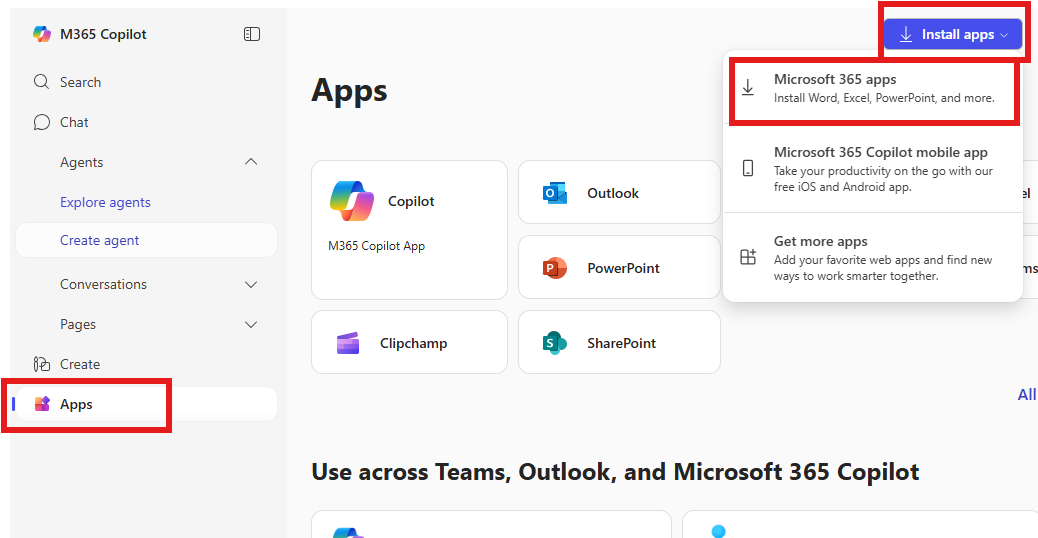
- Click the Apps button on the left, then the Install apps button in the upper right:
Office Desktop Support
Office desktop apps hardware requirements
Microsoft 365 and Office Resources
Use Microsoft 365 plans for business, education, and government
Download/install Office desktop apps
Download and install or reinstall Microsoft 365 or Office 2021 on a PC or Mac – Microsoft Support
Sign in with work or school account
Uninstall Office desktop apps
Uninstall Office from a PC – Microsoft Support
Use Click-to-Run
Activation
Overview of licensing and activation in Microsoft 365 Apps – Deploy Office | Microsoft Learn
Access the Office Web Apps
DESKTOP
When you’re in email, or another Web App, click the App Launcher: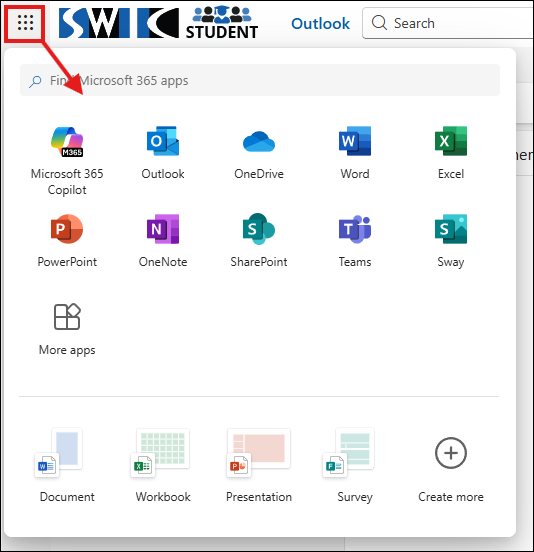
MOBILE
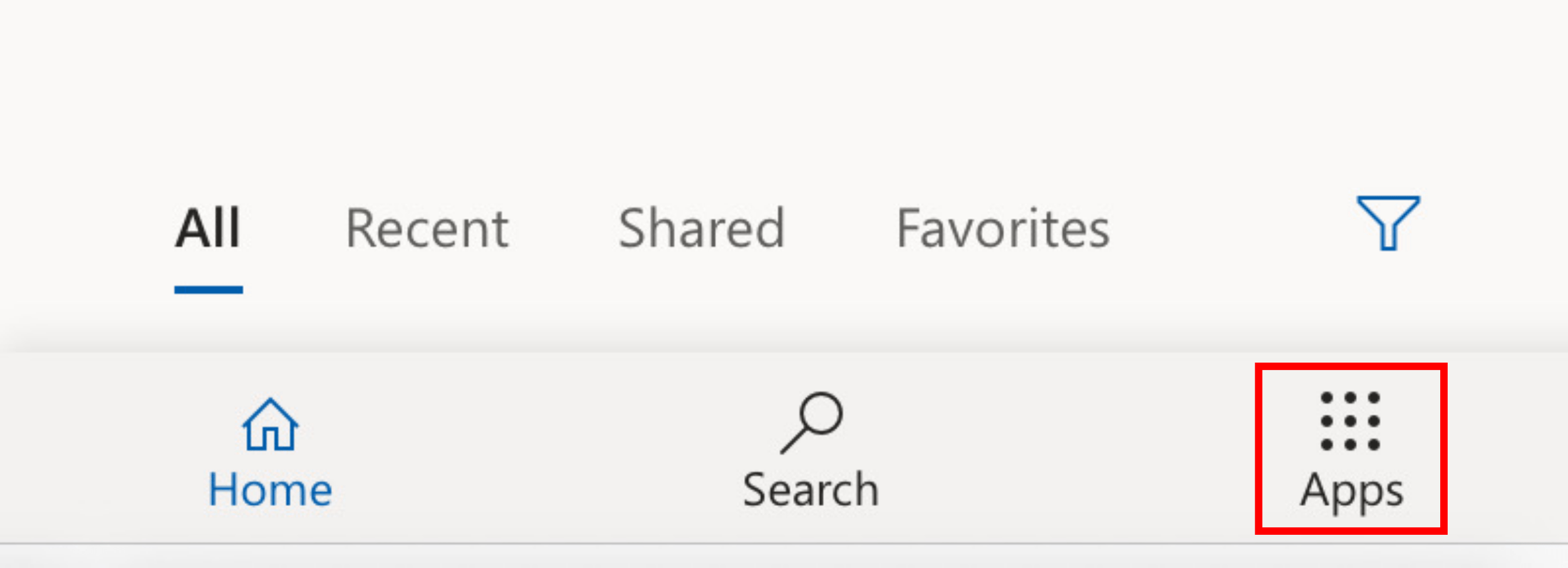
Login to office.com, and choose Apps in the lower right:
How long will I have access to Desktop and Web Apps?
- Students who have not attended for a year would have access to email only.
- Students who are enrolled or have been enrolled within last year would have access to desktop & web apps, in addition to email.
- Students who enroll again after not taking courses for a year would get access to desktop & web apps again.
Please note the Technology Assistance Center provides limited support for personal devices.