

Skip to main content
How Can We Help?
Welcome to our Support Portal. Search for answers using the search box below,
or create a support ticket if you cannot find your answer.
Tip: Start typing in the input box for immediate search results.
Table of Contents
View/Print Enrollment Verification
Go to eSTORM and sign in.
Click the Academic Records tile:
Select your processing options, enter the Term (or leave blank), and click the Submit button: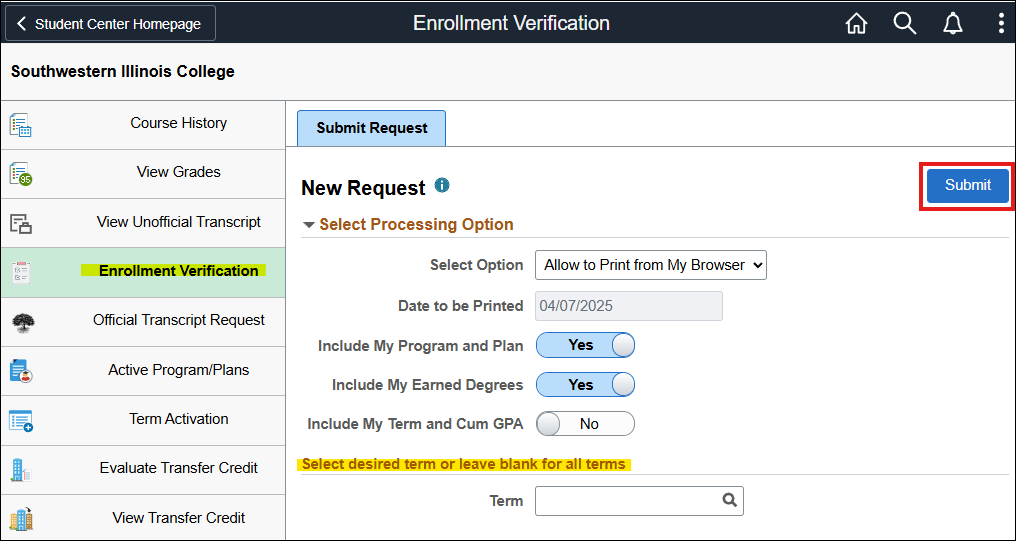
Where can I find more help?
If you need help logging into eSTORM, click HERE.
Click HERE to contact the Technology Assistance Center.